

Description
💰 PRICE RISE & DISCOUNT PROFIT SIMULATOR — 1 SPREADSHEET · 10 CONNECTED TABS · 9 LANGUAGES · 16 CURRENCIES · 5 THEMES ✦
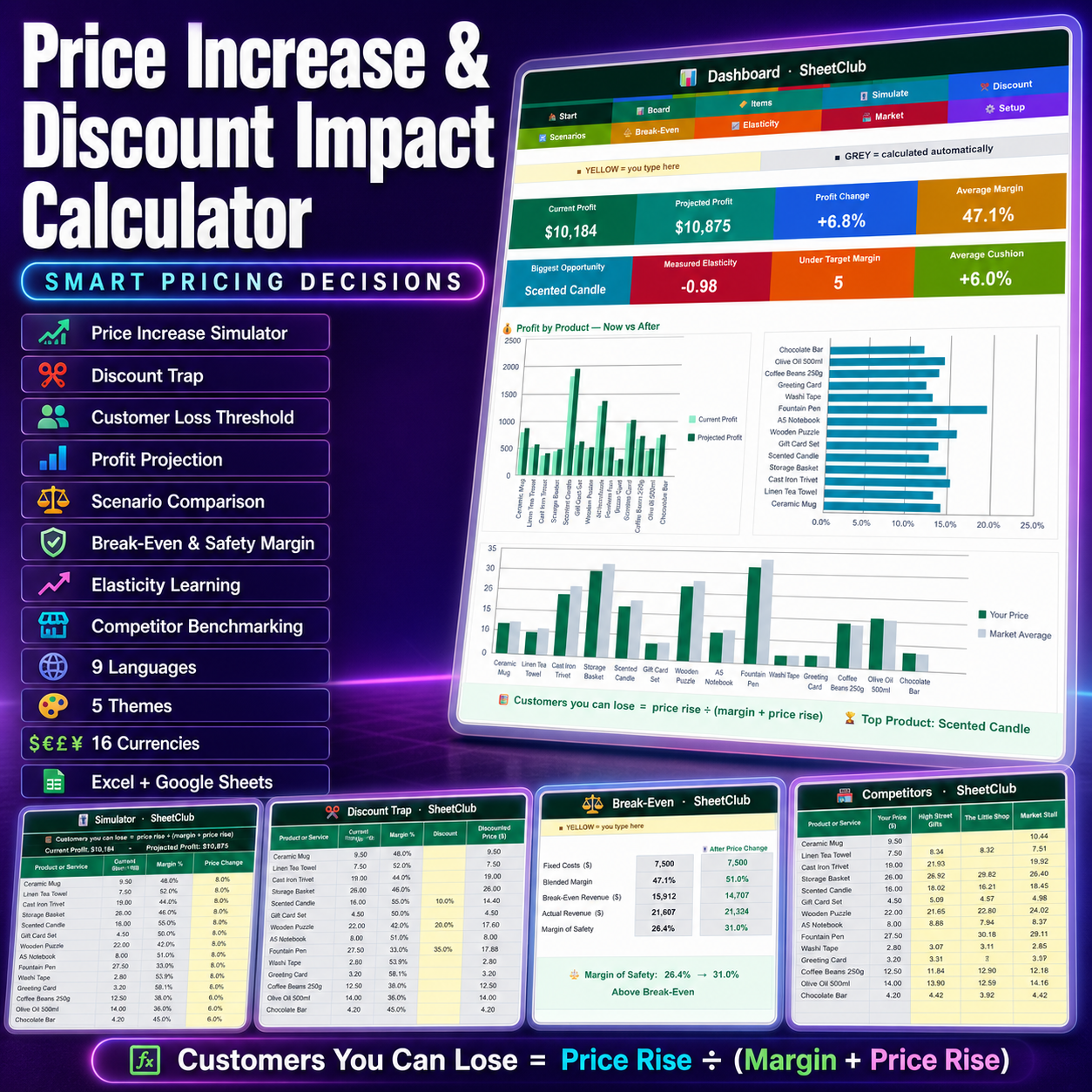
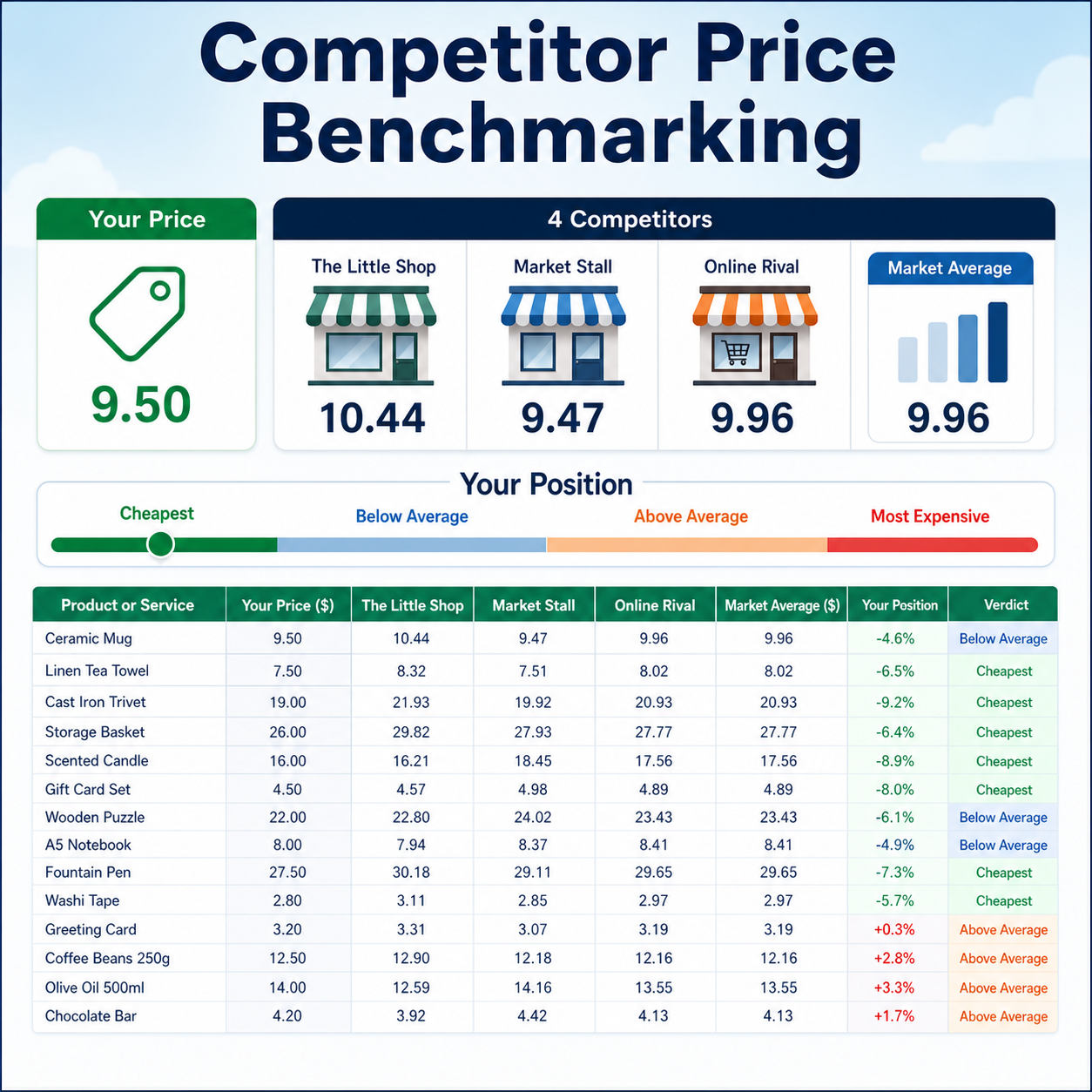
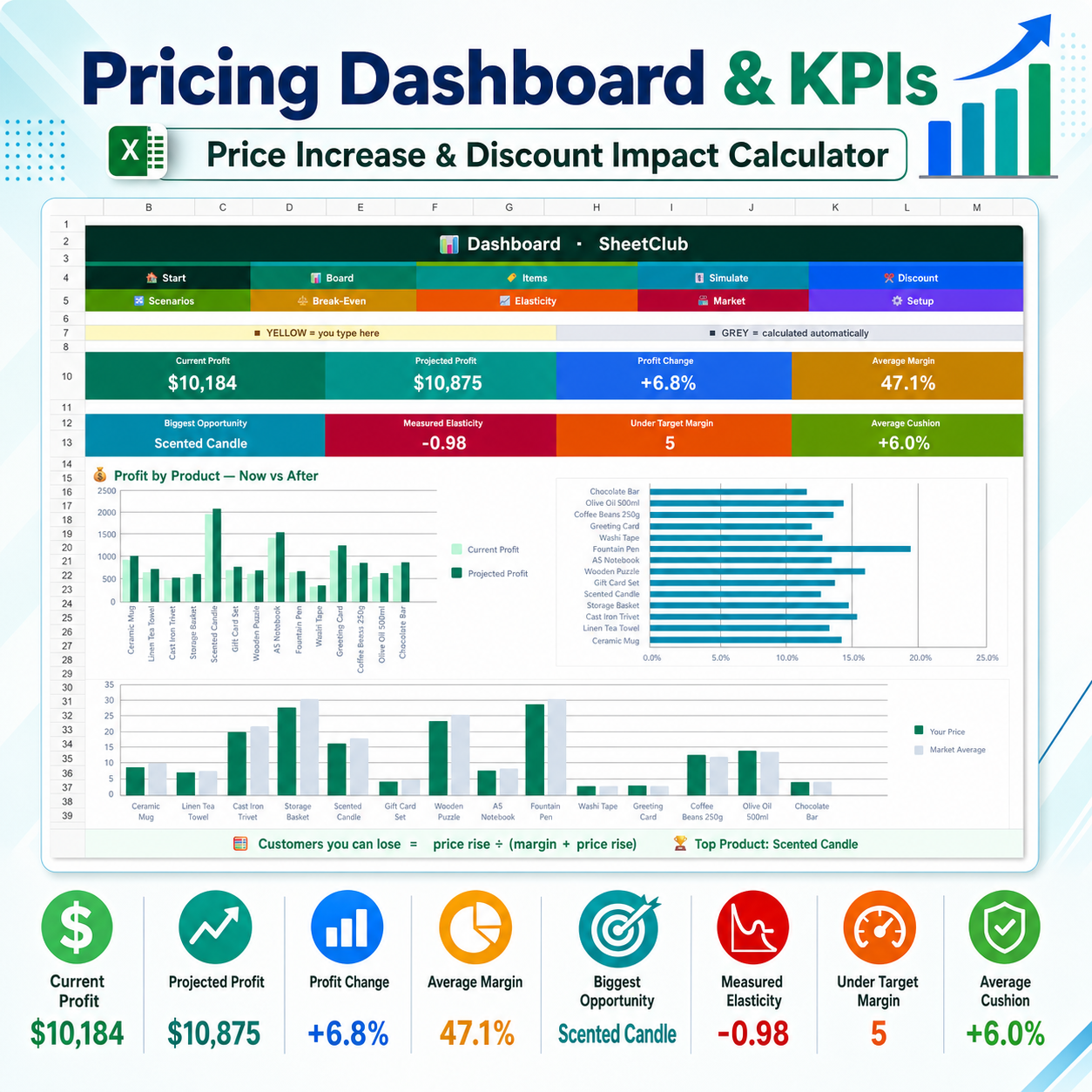
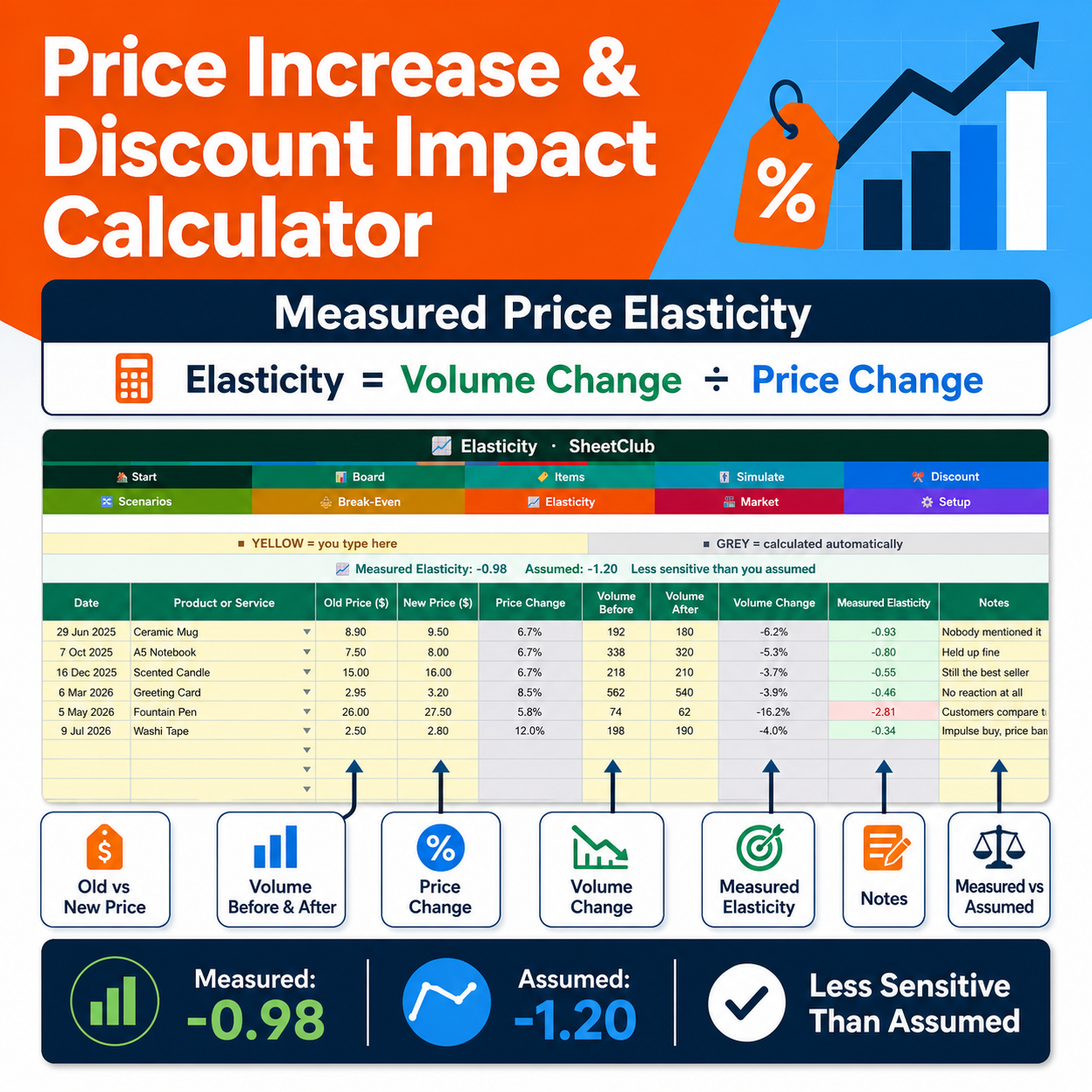
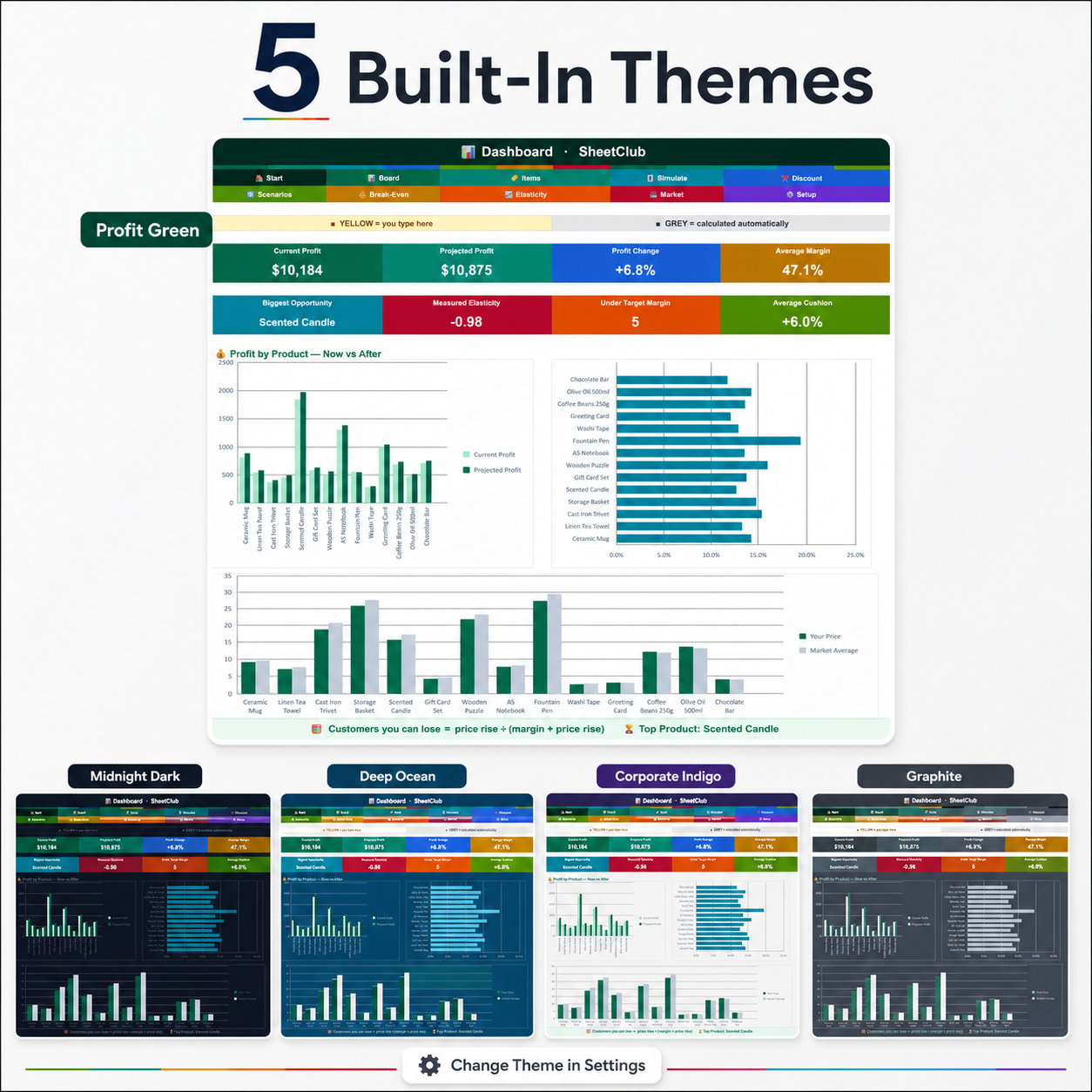
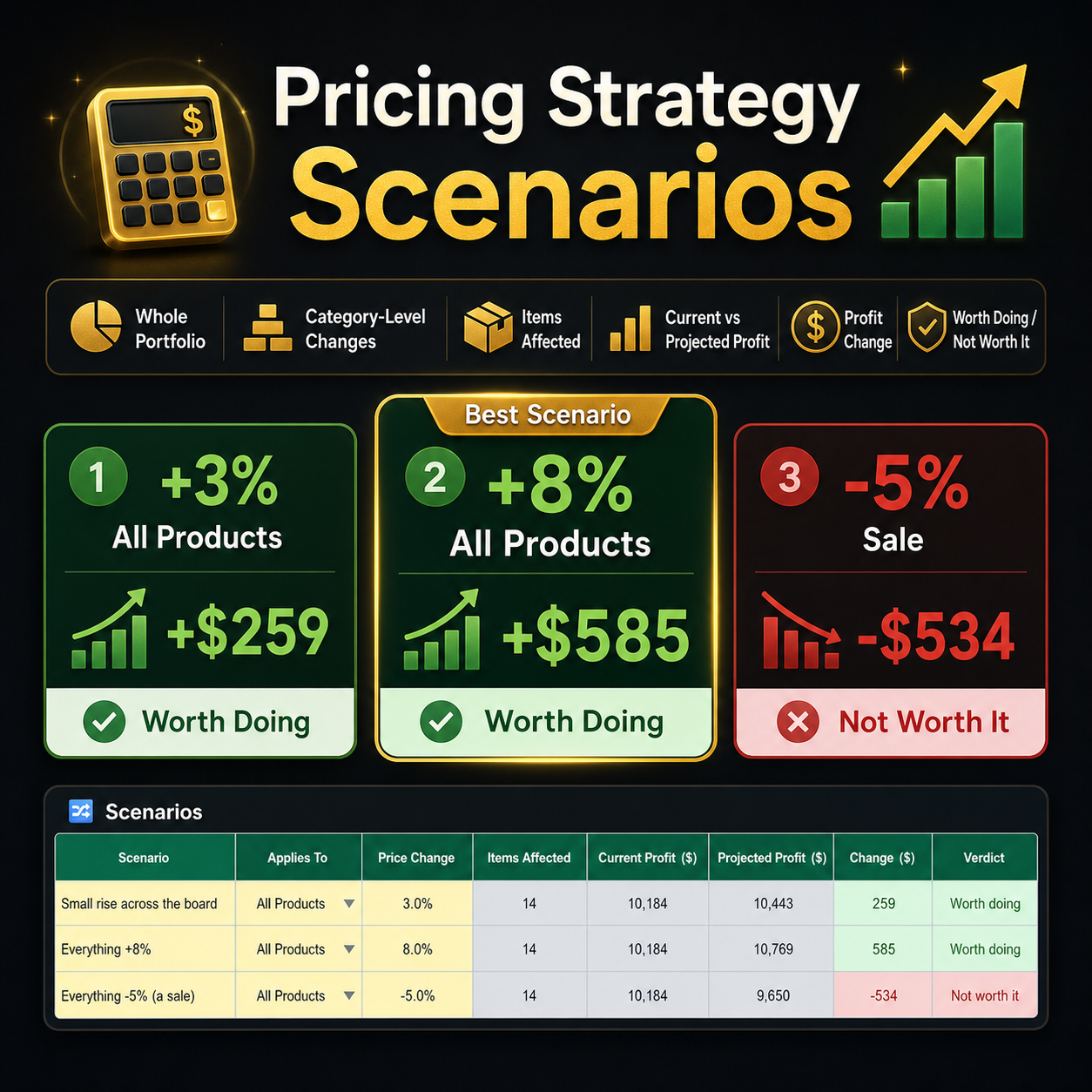
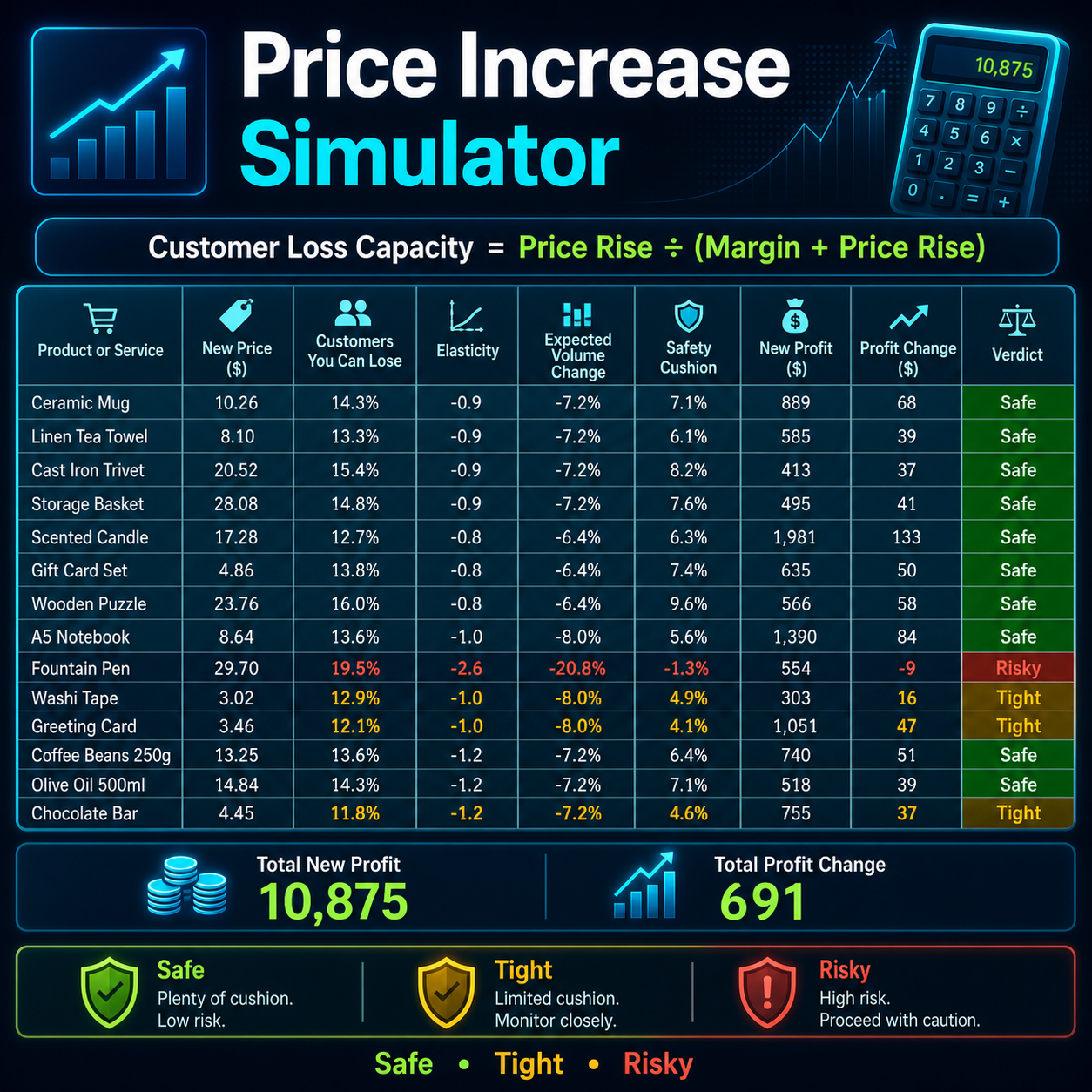
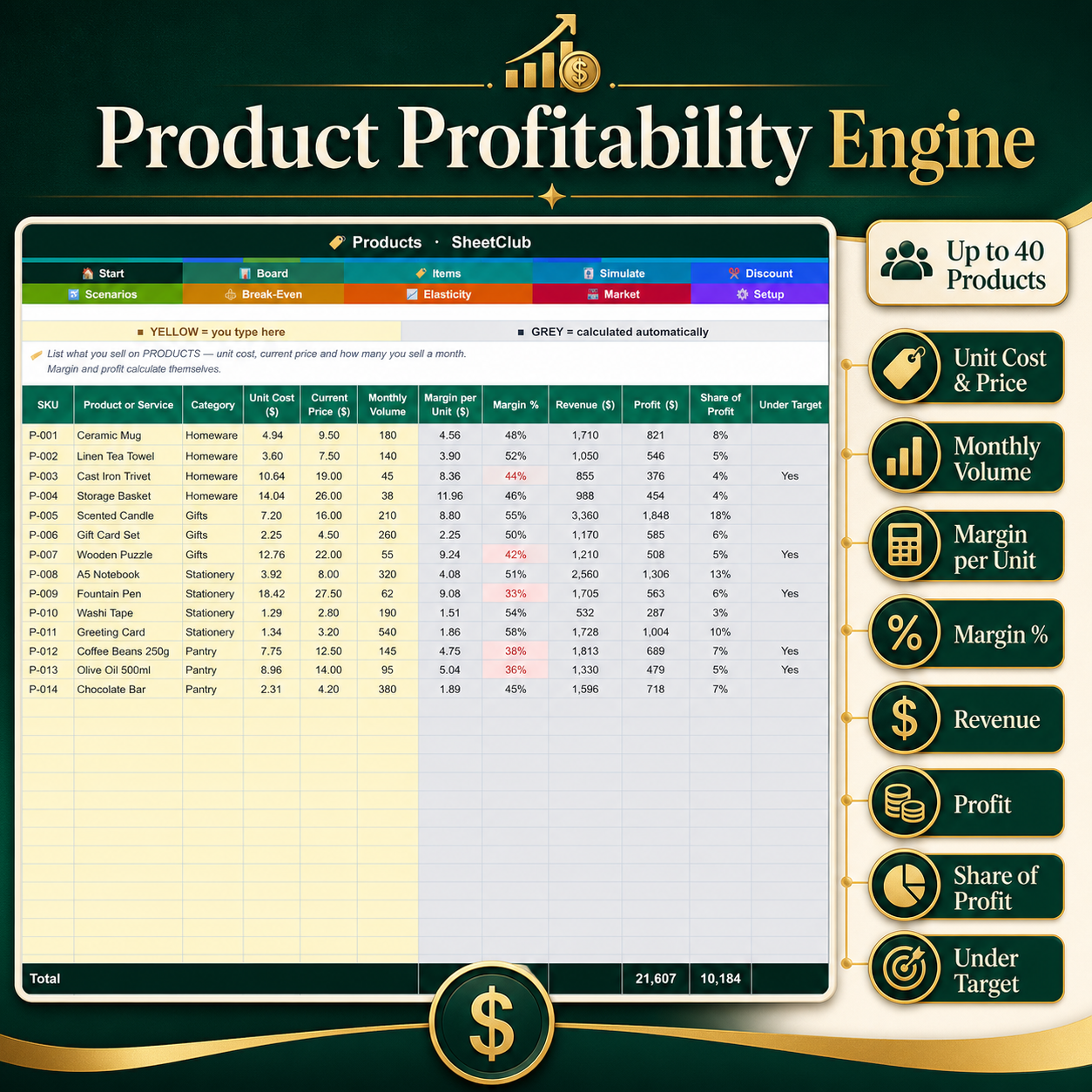
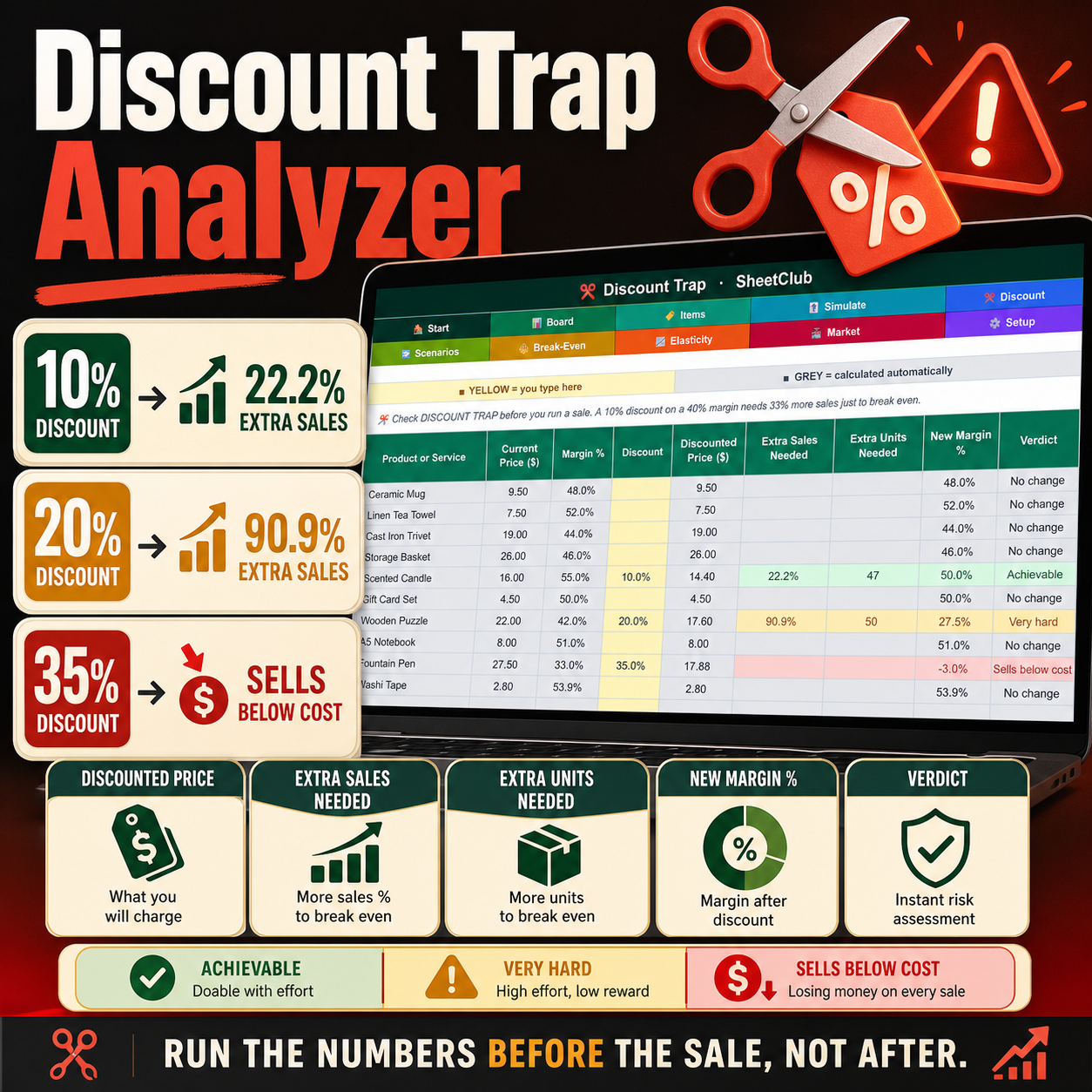
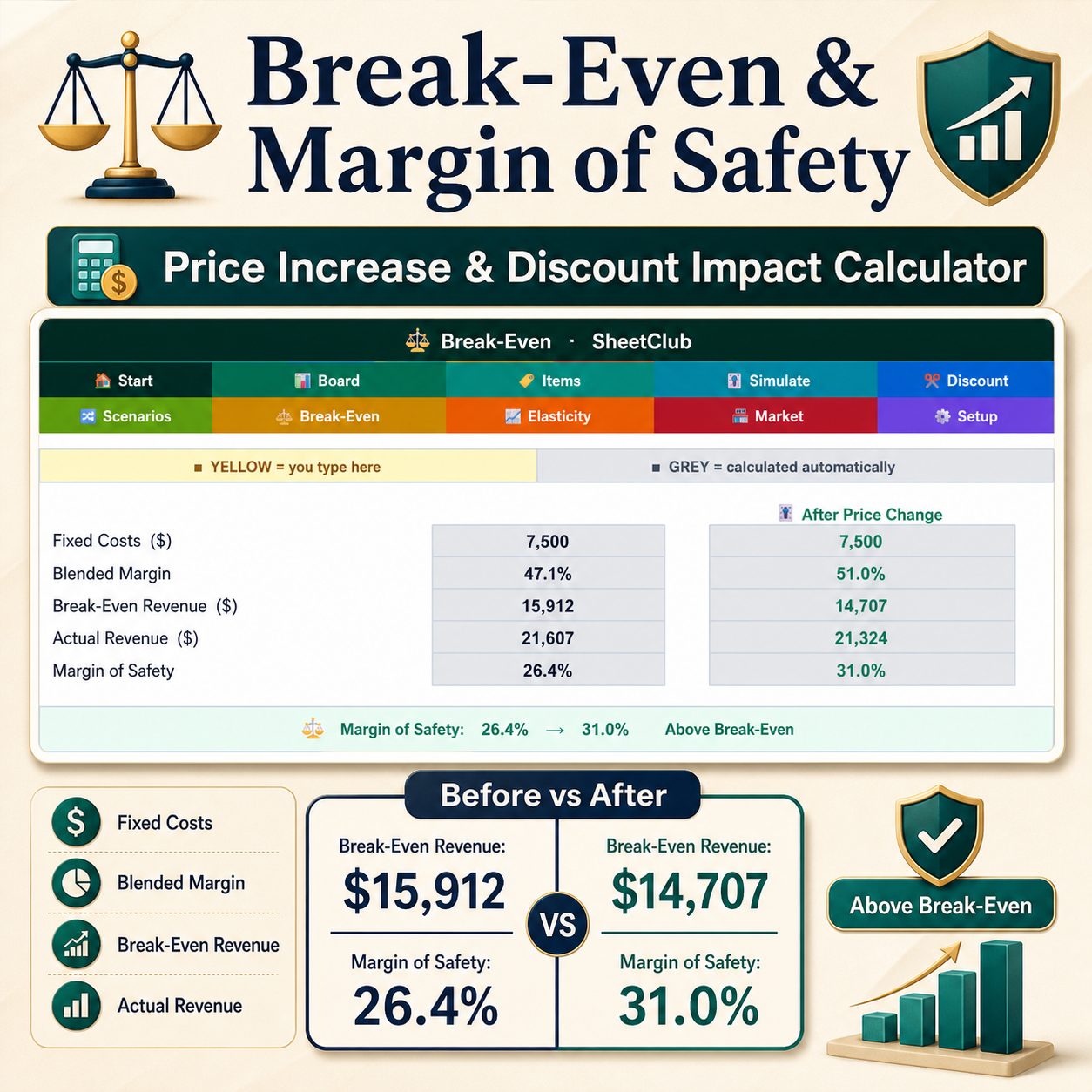
Works in Microsoft Excel and Google Sheets. Raise your prices without guessing how many customers you can afford to lose, and understand exactly what a discount could cost your business. The spreadsheet calculates Customers You Can Lose = Price Rise ÷ (Margin + Price Rise), showing you the potential customer loss you can absorb while maintaining the same profit. For example, at a 40% margin, a 10% price increase can allow you to lose 20% of customers while maintaining the same profit. Enter a price change next to any product and the workbook calculates your potential customer loss, expected impact and whether the change is SAFE, TIGHT or RISKY based on your own price-sensitivity assumptions. The DISCOUNT TRAP tab works in reverse using Extra Sales Needed = Discount ÷ (Margin − Discount), showing how much additional volume you need to break even after a discount. A 10% discount at a 40% margin requires approximately 33% more sales to break even, while a 20% discount requires 100% more sales. If a discount reaches or exceeds your margin, the sale falls below cost. The workbook also measures your real price elasticity by allowing you to record the old price, new price, volume before and volume after a price change, helping you replace assumptions with actual customer behaviour. In the included example, the assumed elasticity is −1.20 while measured elasticity is −0.98, with one fountain pen measuring −2.81 and being identified as the only RISKY product. WHAT’S INSIDE — 10 CONNECTED TABS: DASHBOARD for current and projected profit, profit change, average margin, biggest opportunity, measured elasticity, lines below target margin and average safety cushion, with charts comparing profit before and after, customer-loss capacity and market positioning; PRODUCTS with 40 product lines for cost, price, monthly volume, margin, revenue, profit and profit share; SIMULATOR for testing price changes, customer-loss tolerance, elasticity, expected volume change, safety cushion, projected profit and verdict; DISCOUNT TRAP for evaluating promotional discounts; SCENARIOS for comparing six pricing strategies; BREAK-EVEN for fixed costs, blended margin, break-even revenue and margin of safety before and after pricing changes; ELASTICITY for recording real-world pricing experiments; COMPETITORS for tracking up to four competitors per product and comparing market prices; SETTINGS for language, theme, currency, default elasticity, target margin, fixed costs and safety thresholds; and START HERE for a complete navigation guide. MAKE IT YOURS: customize default elasticity, target margin, fixed costs and safe-cushion thresholds, set different price sensitivity for individual products, choose from 9 interface languages including English, Spanish, German, Italian, French, Turkish, Polish, Portuguese and Dutch, use 16 currencies, and select from 5 themes including MIDNIGHT DARK. Yellow cells are designed for your inputs while grey cells calculate automatically. Formulas are protected without a password to help prevent accidental changes. NO MACROS OR VBA — formulas work in both Microsoft Excel and Google Sheets. TWO FILES INCLUDED: one completed worked example featuring a small shop with 14 products, historical price changes and competitor pricing, plus one completely blank version ready for your own business. Perfect for shops, boutiques, cafés, bakeries, salons, studios, tradespeople, freelancers, makers, wholesalers and small business owners who want to make smarter pricing decisions. PLEASE NOTE: This is a DIGITAL PRODUCT; nothing physical will be shipped. Compatible with Microsoft Excel 2016+ and Google Sheets. The break-even calculations are mathematical projections based on your inputs, while customer behaviour and future sales remain forecasts rather than guarantees. Digital sales are final, but if anything is wrong with your file, please message me and I will be happy to help.
Reviews
There are no reviews yet.